
What Is a Sacramento County Court Docket
A docket is the official running log of a Sacramento Superior Court case. Some courts call it the register of actions. Each line is one event. The line shows the date, the filing or hearing type, the party who filed, and a short label for the result. A docket entry is short by design. The point is to track what happened, not to repeat the full text of the order or pleading. Civil, criminal, family, probate, small claims, and traffic cases all build dockets, but the entries look different by case type. A criminal docket has plea, arraignment, and sentencing entries. A family docket has petition, response, RFO, and judgment entries.
The docket is the backbone of Sacramento County court records. A case file holds the documents. The docket tells the order they were filed, when each was processed, and what the court did next. A docket does not always make documents downloadable. The Superior Court of California, County of Sacramento, runs Public Case Access as a search and docket-display tool, but full document images may be limited by rule, fee, privacy, or portal capacity. Sacramento dockets reach into many divisions and many courthouse locations, from the Gordon D. Schaber Sacramento County Courthouse to the family courthouse on Power Inn Road.
Docket entries also exist for federal cases tied to Sacramento, but those live in PACER and CM/ECF and not in the Superior Court portal. A state criminal docket and a federal criminal docket are different files in different systems.
How to Find Sacramento County Dockets Online
The starting point is the Superior Court's Public Case Access landing page. Each case type has its own tab: civil, criminal, family, probate, small claims, and traffic. Each tab leads to its own search form. The fastest search uses the case number. A clean case number search avoids name spelling problems, name changes, and common-name false matches. If the case number is unknown, search by party name and add a date of birth or filing date range to narrow results. The civil case access page and the criminal case access page both follow this pattern.
The official portal layout is the right starting point because case-type tabs control which fields appear. The civil tab pulls civil dockets. The probate tab pulls probate dockets. The family tab pulls family dockets.
The Public Case Access landing page is the home for Sacramento docket searches across divisions; see the screenshot at services.saccourt.ca.gov/PublicCaseAccess.
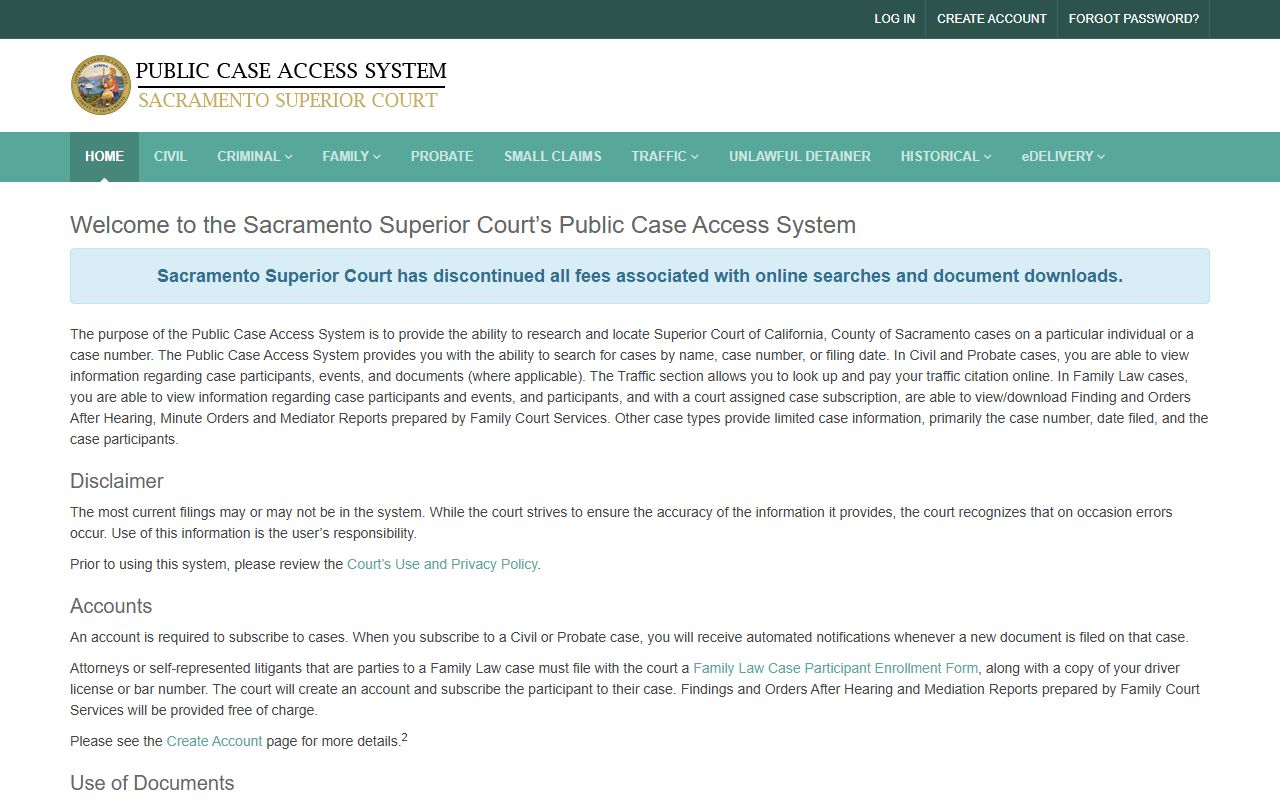
The portal divides the docket search by case type, so the first click decides which division and which set of search fields load. Read each tab heading before typing a name.
Step by step
- Open Public Case Access and pick the case type tab.
- Type the case number if you have it. If not, type the last name first, then add first name.
- Add a date of birth for a criminal case, or a filing date range for a civil, family, or probate case, to cut false matches.
- Run the search and open the case detail link from the results list.
- Scroll the register of actions for the chronological docket entries.
- Click each entry label for hearing minutes, party data, or document references where shown.
- If the case appears sealed, missing, or limited, switch tabs, check spelling, or contact the Clerk of the Superior Court.
Sample Sacramento County Docket Entry
A docket entry is a short row with a date and a label. Each label maps to a real court event. Sacramento Superior Court docket fields draw from civil, criminal, family, and probate registers, so the same word can mean slightly different things in each division. A "minute order" in a criminal case is a courtroom event. A "minute order" in a probate calendar can summarize a probate examiner note. Read the case type first, then read the entry.
| Docket Event | What It Means |
|---|---|
| Complaint filed | A civil case is opened. The complaint sets the claims, parties, and amount. |
| Proof of service | A party shows the court the other side received the papers. |
| Answer / Cross-complaint | The defendant responds, or files claims back against the plaintiff. |
| Demurrer | A challenge to whether the complaint states a legal claim. |
| Case Management Conference | A status hearing the court uses to set deadlines and trial dates. |
| Minute order | A short court order entered after a hearing. |
| Bench warrant issued | A judge issues a warrant, often for failure to appear. |
| Arraignment | The first criminal court appearance for charges and rights. |
| Plea entered | The defendant pleads guilty, not guilty, or no contest. |
| Judgment | The court's final ruling, civil or criminal. |
| Dismissal | The case ends without a judgment on the merits. |
| Writ / Abstract issued | A civil collection or enforcement document issued by the clerk. |
| Letters issued | A probate authority document for an estate representative. |
The entries above appear across many Sacramento dockets, but each case carries its own mix. A probate case is heavy with petitions, notices, and accountings. A criminal case is heavy with minute orders, plea changes, and sentencing. A family case is heavy with RFO hearings, custody and support orders, and judgments of dissolution.
Sacramento County Divisions That Publish Dockets
Sacramento Superior Court is one court with many divisions. Each division pushes case events into the public docket where allowed. The portal tab decides what shows. A few division pages, like the criminal division landing page, give context for what kind of events feed the docket. The criminal division page is shown below.
For a sense of how a Sacramento division presents its case access link, see the criminal division landing page.
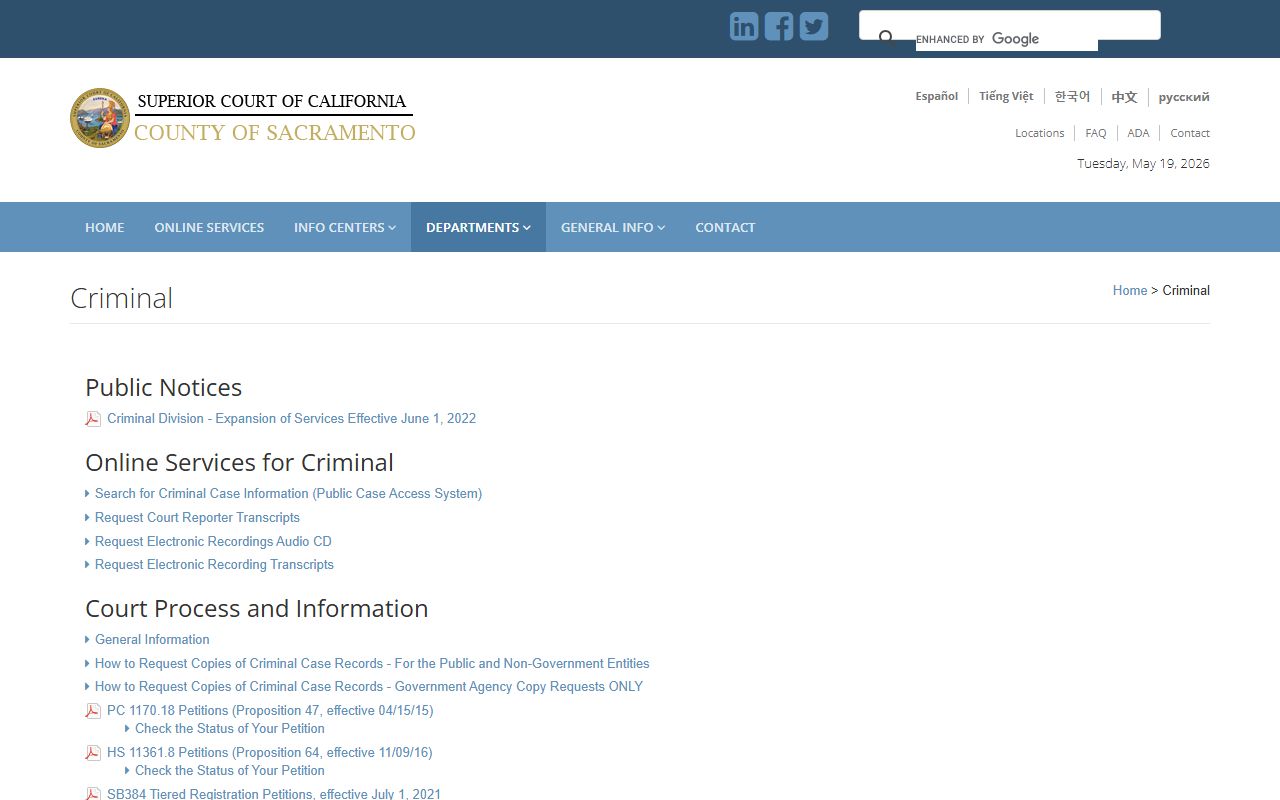
The criminal division page links out to calendars, payment options, and case access so users can match the docket to a hearing context.
- Civil division: complaints, answers, motions, judgments, dismissals.
- Criminal division: arraignments, pleas, minute orders, warrants, sentencing.
- Family law division: petitions, RFOs, custody and support orders, judgments.
- Probate division: estate, trust, guardianship, conservatorship entries.
- Small claims: claim, hearing result, judgment, satisfaction of judgment.
- Traffic: citation, plea, fine, traffic school, FTA, FTP.
- Juvenile: confidential under Welf. & Inst. Code section 827, not on the public portal.
Sacramento County Civil Home Court Docket Notes
Sacramento Superior Court announced a Civil Home Court model effective November 10, 2025. Under the court's case management program notice, most civil cases are assigned to a single home department for case management and law and motion. The court named departments such as 25, 28, 53, and 54, with locations at the Gordon D. Schaber Courthouse and the Hall of Justice. The court listed exceptions for prerogative writs of mandate, complex civil cases, unlawful detainer, probate, and civil harassment restraining orders.
This matters for docket readers. A case management statement filed, a CMC continued entry, a demurrer hearing, a motion to compel, a tentative ruling, and an order after hearing may all route to the same home court department under the new model. The docket should show department assignment early in the case. If the case is in a listed exception category, expect a different routing.
Sacramento's local rules sit on top of the statewide California Rules of Court and shape how docket events are labeled. See the local rules page for division-specific procedures that affect which entries land in a docket.
The civil division also posts document processing dates by category. The civil page has displayed an update schedule of every business Friday by 5:00 p.m., covering new civil cases, requests for dismissal, writs of execution and abstracts, answers and cross-complaints, and requests for entry of default or clerk judgment. A docket that does not yet show a recent filing is not always a rejection. Compare the submission date to the posted processing date before assuming a problem.
Docket vs. Calendar in Sacramento County Court
A calendar lists what is set for hearing in a given courtroom on a given day. A docket lists what has happened in one case from the day it was filed. The two answer different questions. A reader checking a court date should use the calendar. A reader tracking a case from filing to judgment should use the docket. Both can be searched through Public Case Access, but the docket is the deeper record.
| Docket (Register of Actions) | Court Calendar | |
|---|---|---|
| Scope | One case, full history | One courtroom, one day |
| Best Use | Track a case over time | Find a hearing time and place |
| Format | Dated list of filings and events | Time-blocked list of hearings |
| Includes Orders? | Yes, as minute orders or judgments | Rarely, only the upcoming event |
| Document Images | Sometimes linked | Not generally |
| Where | Public Case Access by case | Court calendar pages and bulletin boards |
How to Read a Sacramento County Docket
A docket is short. The labels are written for clerks and judges, not for the general public. A reader can still get the case story by going line by line. The trick is to match labels to events. A criminal docket usually opens with the complaint or information, then arraignment, then a plea, then a series of hearings, then disposition. A civil docket usually opens with the complaint, then service, then answer, then law and motion, then judgment.
- Find the case header. Note the case number, case type, court location, department, and judicial officer.
- Read the first entry. This is usually the filing that opened the case.
- Watch for service entries. A case can stall if service is not on file.
- Track responsive filings: answer, demurrer, motion to strike, or motion to dismiss.
- Look for case management conference entries and trial setting orders.
- Note every minute order. Each one is a court ruling.
- Find the disposition: judgment, dismissal, plea, or sentence.
A few terms reach across divisions. "Continued" means the hearing moved to a new date. "Off calendar" means the hearing was taken off, not heard. "Submitted" means a judge took a matter under advisement. "Tentative ruling" means a posted draft ruling the parties can accept or argue. "FTA" means failure to appear. "FTP" means failure to pay or follow conditions in some traffic and criminal records. Sacramento County traffic court records use these same FTA and FTP flags.
Note: Public Case Access can lag clerk processing, so a recent filing may not show on the docket immediately even when it has been received by the court.